How Digital Tools Cut Down on Tradie Paperwork

How Digital Tools Cut Down on Tradie Paperwork
Digital tools reduce tradie admin by killing double data entry, automating the boring follow-ups, and turning an accepted quote into a sent invoice with one tap. Instead of writing a quote by hand, calling to check if it landed, then re-typing the same job into your accounting software, one connected system carries that job from first contact to paid invoice. The mechanisms that do the heavy lifting: mobile quoting on-site, saved templates, auto-invoicing when a job is marked complete, integrated payment links, and automated reminders that chase clients so you don’t have to.
The payoff shows up fast once the pieces connect. Integrated job management, accounting, and payment systems can shrink per-job admin from around 30 minutes down to under 5, which adds up to recovering a significant amount of time every week.
- Mobile quoting kills the “I’ll type it up tonight” delay
- Templates turn a 20-minute quote into a 2-minute one
- Auto-invoicing fires the moment a job card is marked done
- Integrated payments remove manual reconciliation
- Automated reminders chase overdue invoices without an awkward phone call
- A tool like QuoteLock bundles most of this into one workflow
Key Takeaways
Digital tools reduce tradie admin most effectively when quoting, invoicing, accounting, and payments run through one connected system instead of five separate ones.
| Point | Details |
|---|---|
| Quote on-site | Sending quotes before leaving the job increases acceptance versus emailing later. |
| Connect accounting and payments | Auto-posting and reconciliation remove manual bookkeeping and double entry. |
| Automate the top three follow-ups | Quote follow-ups, invoice reminders, and review requests cover most of the admin load. |
| Centralize job records | One record per job with photos and signed forms cuts clarification calls. |
| Commit to one platform | Tools like QuoteLock convert accepted quotes into invoices instantly, cutting the follow-up loop tradies lose the most time to. |
Table of Contents
- How Digital Tools Reduce Tradie Admin Around Scheduling and Dispatch
- Quoting and Invoicing That Doesn’t Wait Until You’re Home
- Connecting Accounting and Payments to Kill Reconciliation Work
- One Job Record Instead of Five Scattered Ones
- Setting Up Automation That Wins Jobs and Speeds Up Payment
- A 90-Day Plan to Actually Get This Running
- QuoteLock: Turning These Workflows Into One Simple System
- Sources
How Digital Tools Reduce Tradie Admin Around Scheduling and Dispatch
The phone tag between “when can you fit me in” and “actually, can we move it to Thursday” eats more admin hours than most tradies realize. A synced calendar with built-in mapping stops the guesswork. You see every booking, every address, and the drive time between them, so you’re not double-booking two jobs across town on the same afternoon or padding your day with dead travel time you didn’t plan for.
Setting staff availability inside the same system matters just as much. When an apprentice’s day off or a crew member’s certification lapse isn’t logged anywhere central, someone gets scheduled who shouldn’t be, and untangling that mess is pure admin waste.
Automated appointment reminders handle the rest. A text or email sent 24 hours out cuts down the “just confirming you’re still coming” calls that eat into your morning.
- Synced calendars stop double-booking and reduce travel guesswork
- Staff availability settings prevent scheduling clashes before they happen
- Automated reminders replace manual confirmation calls
Pro Tip: Set your reminder to fire the evening before, not the morning of. Clients cancel less when they’ve had time to plan around it, and you’re not fielding last-minute rescheduling calls while you’re already on-site somewhere else.
Quoting and Invoicing That Doesn’t Wait Until You’re Home
Every tradie has lost a job to a competitor who simply quoted faster. Saved line items and reusable templates change quoting from a lengthy chore into a task you can finish quickly, right there in the driveway. You’re not rebuilding the same labor and materials breakdown from scratch every time you scope a bathroom reno or a fence repair.

Sending the quote before you leave the property matters more than most tradies think. A client who’s still standing next to you is far more likely to accept on the spot than one who’s had overnight to collect three more quotes from your competitors. Mobile-first quoting tools exist specifically because on-site workflows have become the standard tradies expect, not a nice extra.
Once a quote is accepted, the real admin savings kick in. One-click conversion from quote to invoice, paired with a deposit link sent in the same message, cuts out the entire follow-up loop of “did you get my quote, are you ready to book, can I get a deposit.”
- Templates cut quote-writing time from 20 minutes to under 2
- On-site sending stops clients shopping around overnight
- One-click invoice conversion removes duplicate data entry
- Deposit links get money moving before you’ve even left the job
Platforms built around quoting software for small trade businesses are designed around exactly this sequence: quote, accept, invoice, deposit, without you touching a spreadsheet in between.
Connecting Accounting and Payments to Kill Reconciliation Work
Manual bookkeeping is where admin hours quietly disappear. Every invoice you type into your job software and then re-type into Xero or MYOB is a chance for a typo, a missed tax line, or a payment that never gets matched to the right job.
- Connect your job or quoting platform directly to Xero or MYOB so invoices post automatically instead of being re-entered.
- Link a payment processor so payments reconcile against the invoice without you manually matching bank statements.
- Run one dummy job end-to-end, quote to invoice to payment, and confirm the correct tax rate applied before you trust it with real clients.
- Check that the payment shows as reconciled in your accounting software within a day, not a week.
Pro Tip: Don’t skip the dummy job test. A tax miscalculation that slips through on your first five real invoices costs more time to fix than the ten minutes it takes to test properly.
Businesses that connect job management and mobile invoicing this way report cutting 2 to 3 hours of daily admin, mostly by eliminating the manual matching step entirely.
One Job Record Instead of Five Scattered Ones
Client details in one app, job photos on your phone’s camera roll, a signed safety form in a folder somewhere, and invoice history in a different piece of software. That’s not a system. That’s five places a client’s information can go missing, and five separate spots you have to check every time someone calls asking “did you send that invoice yet?”
A single job record fixes this by keeping everything tied to one job in one place: contact details, job history, before-and-after photos, signed sign-off forms, and compliance paperwork like a SWMS.
Capturing proof on-site, photos of the finished work, a client’s digital signature, a completed safety checklist, prevents the “can you send me proof you finished the gutters” call three weeks later. It also matters for compliance. Storing safety and risk documents digitally simplifies inspections and means you’re not digging through a glovebox for paperwork when an auditor asks for it.
- One record per job eliminates repeat data entry across apps
- Photos and signatures captured on-site reduce disputes and clarification calls
- Digital compliance storage speeds up audits and client handovers
- Clients see a more professional operation when records are consistent
Setting Up Automation That Wins Jobs and Speeds Up Payment
Three automations do most of the work: a quote follow-up sent 48 hours after sending if the client hasn’t responded, an invoice reminder that fires a few days before and after the due date, and a review request sent once a job’s marked complete. Enable those three before anything else.
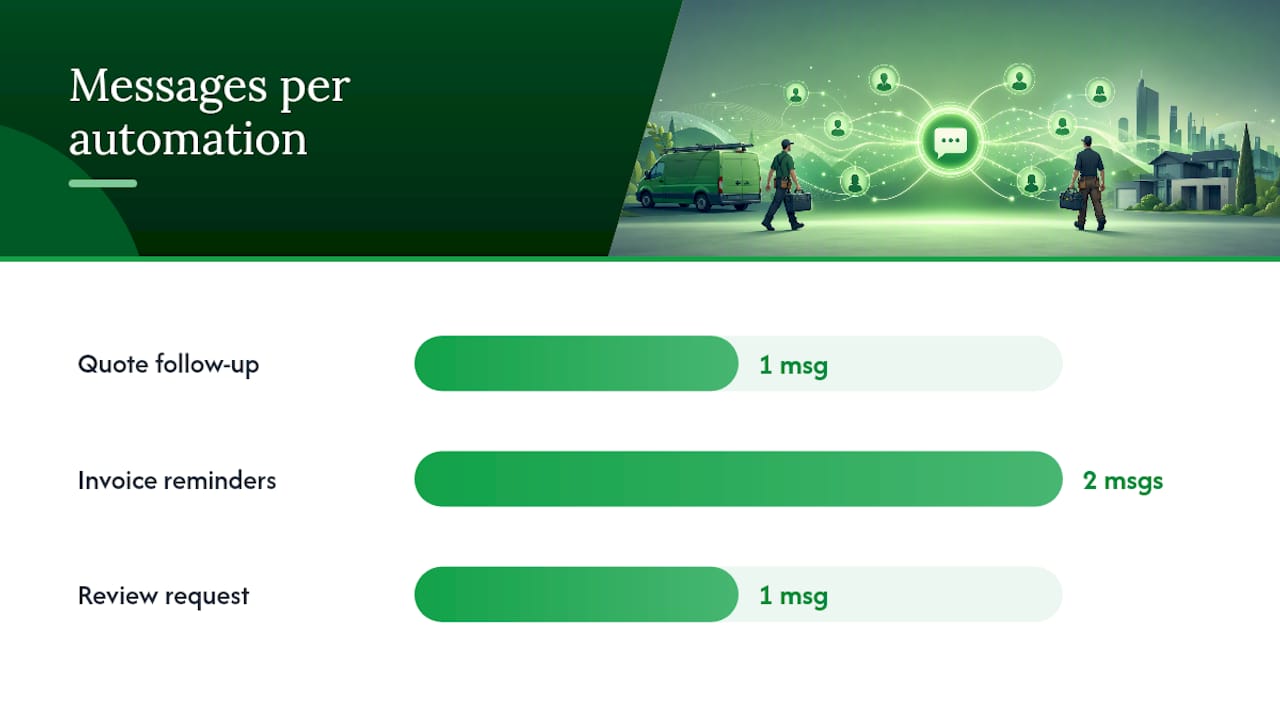
Automated updates and reminders reduce the back-and-forth calls that otherwise fill your evenings, and clients tend to read a well-timed nudge as good service rather than pestering. A quote that gets a polite follow-up converts more often than one that just sits in an inbox, and invoices with automated reminders get paid faster because the client isn’t relying on you to remember to chase them.
Frequency matters. One follow-up per unresponded quote, one pre-due reminder, one post-due reminder. Beyond that, you’re not automating admin, you’re annoying the person you want to pay you.
- Quote follow-up at 48 hours catches undecided clients before they move on
- Invoice reminders before and after the due date reduce late payments
- Review requests after job completion build your reputation with zero extra effort
- Cap frequency at one message per trigger to avoid feeling like spam
A 90-Day Plan to Actually Get This Running
Buying software doesn’t reduce admin. Using it properly does. Here’s a realistic timeline.
- Weeks 1 to 2: Pick one platform for quoting and job management. Build your templates for the three or four job types you quote most often.
- Weeks 3 to 6: Connect your accounting software and payment processor. Run a dummy job through the full cycle and confirm tax and reconciliation work correctly.
- Weeks 7 to 12: Turn on your automations, quote follow-ups, invoice reminders, review requests, and start tracking how many admin hours you’re actually saving each week.
| Phase | Focus | Expected Outcome |
|---|---|---|
| Weeks 1 to 2 | Choose platform, build templates | Faster on-site quoting from day one |
| Weeks 3 to 6 | Connect accounting and payments, test | Accurate reconciliation, no manual matching |
| Weeks 7 to 12 | Enable automation, measure hours | Per-job admin dropping toward the sub-5-minute range |
By the end of this stretch, the discipline of building templates and testing integrations before flipping on automation is what turns software into fewer admin hours, not just a new app on your phone. Comparing platforms before you commit is worth the time too, since switching quoting software mid setup costs you the templates and history you’ve already built.
Setup friction is real, but it’s front-loaded
The first two weeks of building templates and testing integrations feel like more admin, not less. That’s normal. The gain shows up in week seven onward, once automation is running and you’ve stopped re-entering the same client details three times. The businesses that struggle are the ones that half-commit, running one job type through the new system and the rest through old habits. Pick one source of truth and force every job through it, even the awkward ones.
— Robert
QuoteLock: Turning These Workflows Into One Simple System
Every workflow described above, on-site quoting, one-click invoice conversion, deposit links, automated follow-ups, is what QuoteLock is built around. There’s no client login to set up and no software training session to schedule. You send a quote from the job site, the client accepts it on their phone, and it converts straight into an invoice with a payment link attached.
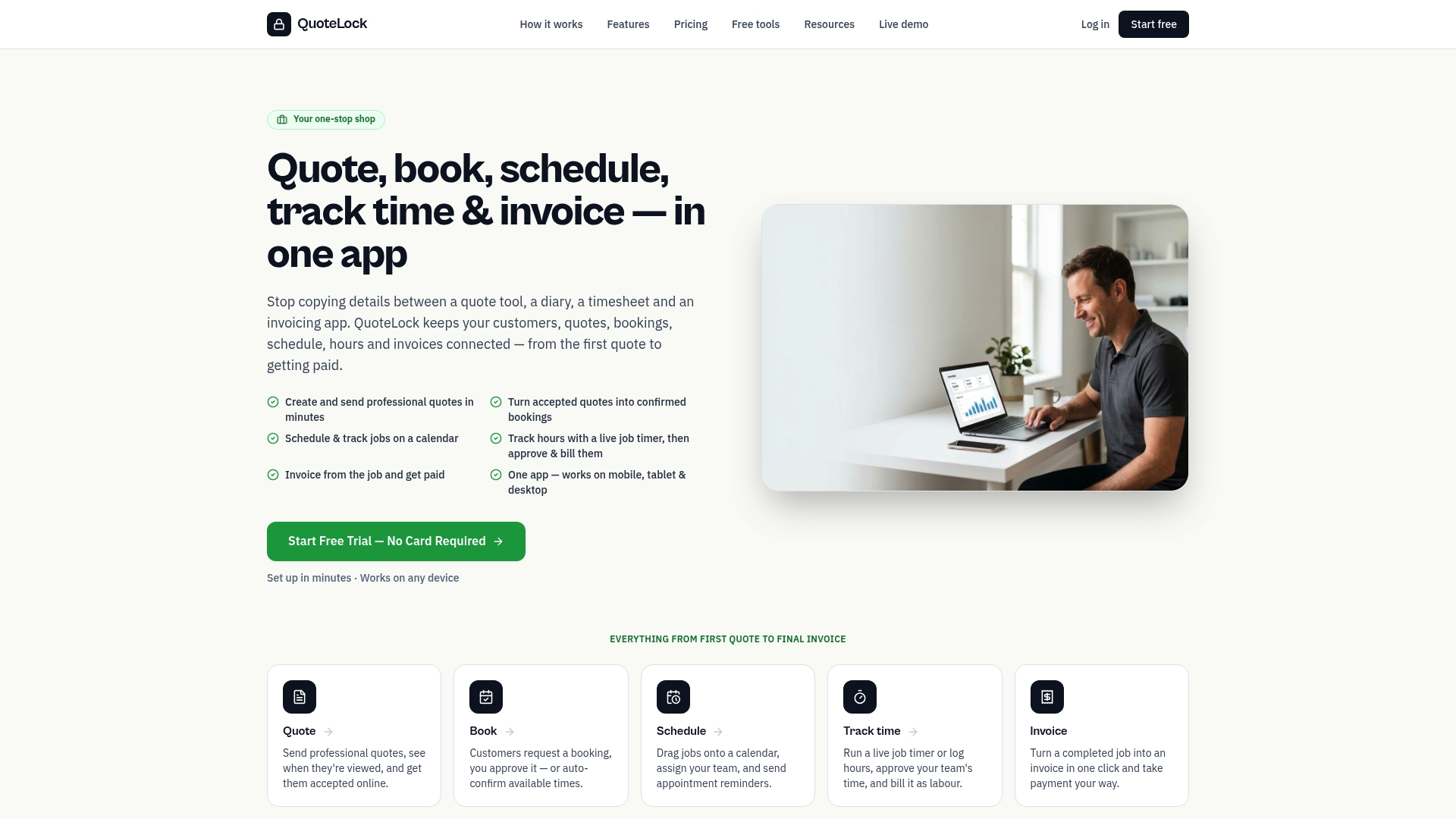
QuoteLock tracks when a client opens your quote and sends reminders automatically if they haven’t responded, so you’re not the one remembering to follow up on a Tuesday afternoon. For a builder or landscaper juggling five active jobs, that’s the difference between chasing paperwork at 8pm and closing your laptop after dinner. If you’re ready to see it against your own job types, try QuoteLock’s quoting software with a free trial and send your next quote before you’ve even left the driveway.