What Does Invoice Aging Mean for Your Cash Flow?

What Does Invoice Aging Mean for Your Cash Flow?
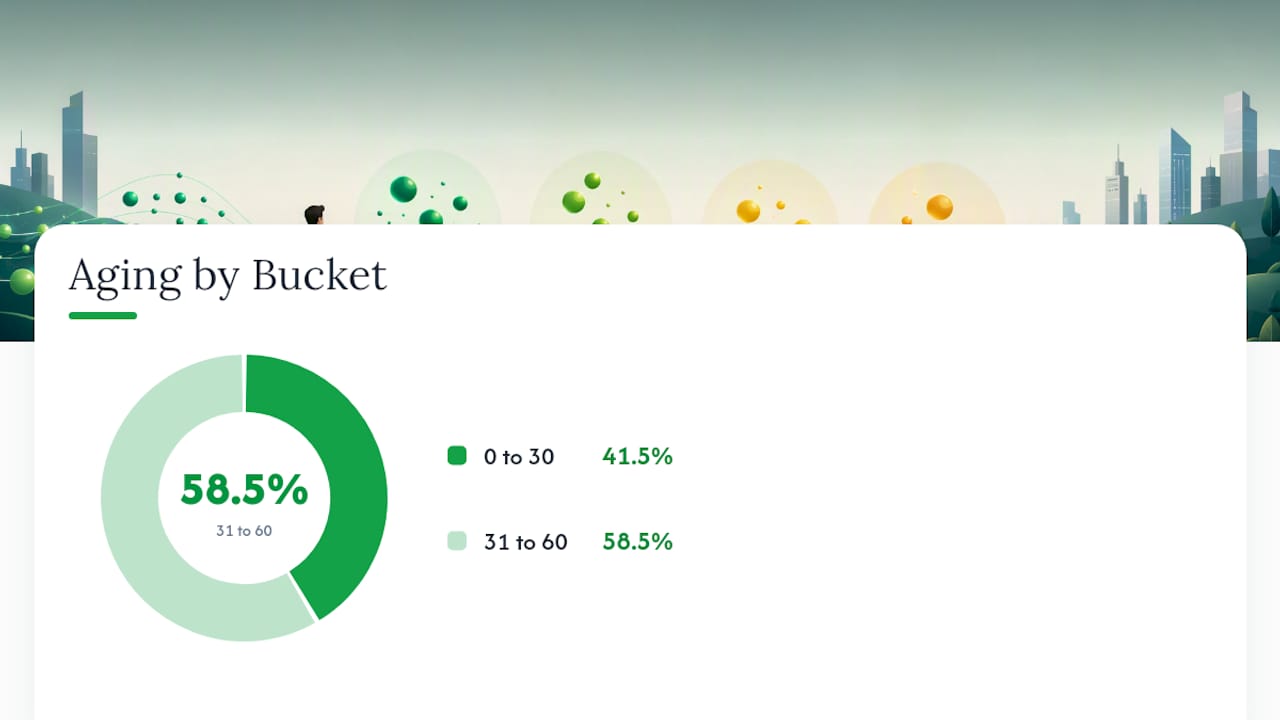
Invoice aging (also called accounts receivable aging) means sorting your unpaid invoices into groups based on how long they’ve been outstanding, usually in 30-day buckets: current, 31 to 60 days, 61 to 90 days, and over 90 days. The takeaway: once an invoice slides into the 31 to 60 day bucket, it’s time to call the client, not just email a reminder. A 2022 analysis of 250,000 invoices found that only 63% got paid within 30 days, which means more than a third routinely land in the buckets that need active follow-up. Most businesses run this report monthly, and it’s the single clearest signal you have for deciding who to chase, what credit terms to offer next time, and how much cash is actually walking through the door on schedule.
Key Takeaways
Invoice aging works because it turns a pile of unpaid invoices into a prioritized action list based on real risk, not guesswork.
| Point | Details |
|---|---|
| Aging groups invoices by time | Standard buckets are current, 31 to 60, 61 to 90, and over 90 days past due. |
| Run the report monthly | Regular reviews catch slipping accounts before they become bad debt. |
| Match buckets to your terms | Net 15 businesses should use 0 to 15 and 16 to 30 buckets, not generic 30-day ranges. |
| Watch for bucket concentration | Many customers landing in the same bucket usually signals an internal process gap. |
| Software speeds the whole cycle | Quote-lock converts accepted quotes into invoices instantly and automates reminders to cut aging. |
Table of Contents
- What Is Invoice Aging and Why Do the Buckets Matter?
- How Do You Build an Aging Report?
- How Do Businesses Use Aging Reports to Manage Cash?
- What Are the Common Problems with Aging Reports?
- What Practical Steps Reduce Invoice Aging?
- A Worked Example: Building One Customer’s Aging Schedule
- How Should You Set Escalation Thresholds Beyond the Standard Buckets?
- How Do You Integrate Aging Reports with Accounting Software?
- What Really Causes Chronic Aging Problems?
- How Invoicing Software Shortens Your Aging Report
- Frequently Asked Questions
- Sources
What Is Invoice Aging and Why Do the Buckets Matter?
Invoice aging categorizes unpaid invoices by elapsed time, either from the due date or the invoice date, into standard time ranges. The buckets aren’t arbitrary. Thirty-day increments roughly match how most credit terms and billing cycles work, which is why they’ve become the default across accounting software and bookkeeping practice.
The standard breakdown looks like this:
- Current (0 to 30 days): Invoices still within a normal payment window
- 31 to 60 days: Past due, worth a phone call or a firmer reminder
- 61 to 90 days: Serious risk of nonpayment, often needs escalation
- Over 90 days: High risk of becoming a bad debt write-off
A quick real-world snapshot might show $4,200 current, $1,800 in the 31 to 60 bucket, $650 in 61 to 90, and $300 sitting past 90 days. That distribution alone tells you where to spend your Monday morning.
Pro Tip: If you sell on Net 15 terms, don’t rely on generic 30-day buckets. An invoice that’s 20 days old already looks fine on a standard aging report but is actually five days late under your real terms. Customizing your buckets to match your contract terms catches problems earlier.
How Do You Build an Aging Report?
Building one isn’t complicated, whether you’re doing it in a spreadsheet or pulling it from software.
- Collect every open invoice that hasn’t been marked paid
- Choose a report date, usually the last day of the month
- Calculate days past due for each invoice relative to that date
- Group invoices into buckets based on those days
- Subtotal by customer and by bucket, then total the whole report
Most reports include these columns: invoice number, invoice date, due date, days past due, the bucket amount, customer subtotal, and a grand total. NetSuite notes that these invoice-level details are exactly what blended metrics like DSO can’t show you on their own.
Here’s a stripped-down example for one client with two open invoices:
| Invoice # | Due Date | Days Past Due | Bucket | Amount |
|---|---|---|---|---|
| INV-1042 | Jan 15 | 12 | 0 to 30 | $850 |
| INV-1039 | Dec 20 | 38 | 31 to 60 | $1,200 |
One decision point worth flagging: age by due date if you want to know who’s actually late, and age by invoice date only if you’re analyzing billing speed rather than collections risk.
How Do Businesses Use Aging Reports to Manage Cash?
An aging report earns its place on your desk because of what it lets you decide, not just what it lists.
- Collections prioritization: Call the 61 to 90 day accounts before you send another polite email to the current ones
- Escalation triggers: Decide at what point a statement becomes a demand letter, and when a stubborn account goes to a collection agency
- Credit policy: Customers who consistently drift into late buckets are candidates for shorter terms or upfront deposits next time
- Bad debt allowance: Accountants use aging data to estimate what percentage of the over-90 bucket will never get collected, which feeds directly into your allowance for doubtful accounts
KPI callout: Days Sales Outstanding (DSO) tells you the average collection time across your whole business, but it hides the details. That’s why aging and DSO work together rather than as substitutes.
Running the report monthly, as most accounting teams do, keeps this feedback loop tight enough that a slipping customer gets flagged before their balance triples.
What Are the Common Problems with Aging Reports?
Aging reports are only as reliable as the data feeding them, and that data has more failure points than most people expect.
- Wrong contact information that means your reminder never lands in an inbox anyone checks
- Missing PO numbers, which stalls payment on the client’s end before it ever reaches your ledger
- Unapplied payments sitting in a suspense account, making a paid invoice look overdue
- Misclassified credit memos that inflate a bucket with amounts that were never actually collectible in the first place
The bigger interpretation trap: aging tells you how old an invoice is, not whether it will ever get paid. A billing dispute or a simple timing mismatch between when you invoiced and when the client’s approval process runs can push a perfectly fine account into the 61 to 90 day bucket for reasons that have nothing to do with creditworthiness.
Pro Tip: If you see the same bucket filling up across many unrelated customers, don’t assume you have a customer problem. That pattern almost always points to an internal issue, like a misrouted approval step or a missing PO field that’s slowing down every invoice the same way.
What Practical Steps Reduce Invoice Aging?
Most of the fixes here aren’t complicated. They’re just easy to skip when you’re busy running jobs.
- Invoice immediately after work is complete, not at the end of the week when you finally sit down with paperwork
- Set clear payment terms upfront and put them in writing on every quote
- Offer multiple payment options, since a client without an easy way to pay online will default to “I’ll get to it”
- Automate reminders so a nudge goes out at 5 days, 15 days, and 30 days past due without you remembering to send it
- Require PO numbers before work starts, especially for corporate or municipal clients whose accounts payable departments won’t process anything without one
- Standardize approval workflows internally so invoices don’t sit waiting for someone’s signature before they even go out
Automated triggers tied to invoice age do the reminder work for you, and converting an accepted quote straight into an invoice cuts out the lag between “yes” and “billed.”
Pro Tip: Match your buckets to your actual terms. If you invoice Net 15, track 0 to 15 and 16 to 30 day buckets instead of the generic 0 to 30 and 31 to 60 default. Otherwise you won’t notice a late payment until it’s already two weeks past being a problem.
A Worked Example: Building One Customer’s Aging Schedule
Say a client, Riverbend Construction, has three open invoices as of your report date of January 31.
| Invoice # | Invoice Date | Due Date | Amount | Days Past Due | Bucket |
|---|---|---|---|---|---|
| INV-201 | Jan 10 | Jan 25 | $2,400 | 6 | 0 to 30 |
| INV-198 | Dec 12 | Dec 27 | $1,750 | 35 | 31 to 60 |
| INV-190 | Nov 5 | Nov 20 | $900 | 72 | 61 to 90 |
Subtotals: $2,400 current, $1,750 in the 31 to 60 bucket, $900 in 61 to 90. Grand total outstanding: $5,050.
Reading this is straightforward. The current invoice needs nothing yet. The 31 to 60 day invoice deserves a phone call this week. The 61 to 90 day invoice is past the point of a friendly reminder and needs a direct conversation about a payment plan, possibly with a note that future work requires a deposit.
How Should You Set Escalation Thresholds Beyond the Standard Buckets?
The four standard buckets are a starting point, not a policy. Businesses that collect well tend to layer specific actions onto specific day counts rather than waiting for an invoice to simply “be in a bucket.”
A workable escalation ladder might look like: a friendly reminder at 5 days past due, a firmer email plus phone call at 15 days, a formal demand letter at 30 days, and a decision point at 60 days on whether to involve a collection agency or write the balance off. NetSuite’s guidance on setting reminder triggers at these intervals reflects how most established finance teams actually operate, rather than waiting for a monthly report to surface the problem.
Your thresholds should also reflect who the customer is. A repeat client with five years of on-time payments deserves more patience at 30 days than a brand-new account that’s already ignored two reminders. Some businesses build a simple risk score into their process: number of late payments in the past year, average days late, and current balance size all factor into how fast an account gets escalated.
The threshold that matters most, honestly, is the one you actually enforce. A policy that says “escalate at 60 days” but never gets followed is worse than no policy, because it creates a false sense that someone’s watching the account when nobody is.
How Do You Integrate Aging Reports with Accounting Software?
Running an aging report manually in a spreadsheet works fine when you have a dozen open invoices. It falls apart fast once you’re juggling forty active clients across multiple jobs.
Most accounting and invoicing platforms generate an aging report automatically, refreshed every time a payment posts or a new invoice goes out. That real-time view beats a static monthly export because it catches a client’s payment the moment it clears, rather than showing stale data for three more weeks. If you’re using a broader ERP system, look for aging reports that sync directly with your bank feed and your invoicing tool, so a payment recorded in one place updates the aging picture everywhere else without manual re-entry.
A practical rollout: start with a manual aging report in a spreadsheet for one or two months to catch data problems, like missing PO numbers or mismatched customer names, before you trust an automated version. Once that’s clean, migrating to automated reporting with built-in reminder triggers removes the manual step of remembering to check the report at all.
What Really Causes Chronic Aging Problems?
The pattern I see most often isn’t slow-paying customers. It’s slow-invoicing businesses. A contractor finishes a job on Tuesday and doesn’t send the invoice until the following Monday, and that five-day delay compounds every month it happens. Add a missing PO number or unclear payment terms, and a client who would’ve paid promptly now has an easy excuse to wait.
The fix I recommend to contractors and bookkeepers: invoice the same day the job wraps, every time, no exceptions. A tool like QuoteLock’s invoicing software removes the friction that causes that delay in the first place by converting an accepted quote into an invoice in one step.

How Invoicing Software Shortens Your Aging Report
Every fix in this article, faster invoicing, automated reminders, clearer terms, gets a lot easier when your software does the heavy lifting instead of you. Quote-lock turns an accepted quote into a sent invoice in one click, so there’s no gap between “job done” and “invoice out the door,” and it tracks when a client views that invoice so you know exactly who’s stalling and who simply hasn’t opened it yet.
For a contractor juggling five job sites, that one-click conversion alone can shave days off your average time to invoice, which shows up directly in your aging report as fewer accounts drifting into the 31 to 60 day bucket. Built-in reminders fire automatically at the intervals you set, so a late payment gets chased without you having to remember which client owes what. If you’re tired of watching invoices age past 60 days because paperwork sat on your desk too long, take a look at QuoteLock’s quoting and invoicing software and start your free trial to see how much faster your billing cycle runs.
Frequently Asked Questions
What is an aging invoice? An aging invoice is any unpaid invoice that has been placed into a time-based bucket on an accounts receivable aging report, based on how many days have passed since its due date.
What is a good AR aging percentage? There’s no universal number, but a healthy aging report typically shows the large majority of outstanding balances sitting in the current or 0 to 30 day bucket, with only a small share past 60 days. If your over-90 bucket keeps growing month over month, that’s the figure to address first.
What’s the difference between aging by invoice date versus due date? Aging by due date tells you who is actually late on payment, which is what most collections decisions need. Aging by invoice date measures how long an invoice has existed regardless of terms, which is more useful for reviewing your own billing speed than for chasing customers.
How does invoice aging affect cash flow forecasting? Aging data shows you which cash you can realistically count on soon versus which balances are increasingly unlikely to convert to cash at all, letting you build a forecast around probable collections instead of the full invoiced total.
How often should I run an aging report? Monthly is standard for most small businesses, though a business with a high volume of invoices or frequent late payers benefits from checking weekly.
Sources
- Accounts receivable aging explained
- Accounts Receivable Aging - Definition & How it Works
- Accounts Receivable Aging Defined | NetSuite
- Accounts receivable aging definition — AccountingTools