Estimate vs Invoice: What Contractors Need to Know

Estimate vs Invoice: What Contractors Need to Know
An estimate proposes expected costs before work begins; an invoice requests payment after the work is done. That one-sentence distinction covers most situations you’ll face as a contractor, but the details matter when a client disputes your final bill or your accountant asks why your receivables don’t match your quotes.
Quick rule of thumb: Send an estimate to win the job. Send an invoice to get paid.
- Send an estimate now if: A client has asked what a job will cost, you haven’t started work yet, or the scope could still change.
- Include on your next invoice to avoid disputes: A reference to the accepted estimate number, a line-by-line breakdown matching agreed scope, the due date, and your payment terms.
Key Takeaways
An estimate proposes expected costs before work begins; an invoice is the formal payment request issued after delivery, and keeping them distinct protects your cash flow and your client relationships.
| Point | Details |
|---|---|
| Estimates are proposals, not bills | Send an estimate before work starts; it can change with documented change orders. |
| Invoices carry legal and accounting weight | Once issued, an invoice is recorded as income owed and is your evidence in a dispute. |
| Always include expiry and assumptions | An estimate without an expiry date or listed assumptions is the leading cause of scope disputes. |
| Convert, don’t retype | Convert accepted estimates directly into invoices to eliminate errors and preserve an audit trail. |
| Quote-lock automates the workflow | Quote-lock’s one-click quote-to-invoice conversion keeps every document linked and reduces admin time. |
Table of Contents
- What is an estimate, and how do contractors use it?
- What is an invoice, and which fields does it need?
- How do estimates and invoices compare side by side?
- Key differences explained: purpose, timing, legal weight, and amounts
- When to give an estimate vs. when to send an invoice
- How to create an estimate, step by step
- How to create an invoice for accurate, fast payment
- Converting an accepted estimate into an invoice
- Best practices to avoid disputes and speed payment
- Sample wording and simple templates contractors can copy
- Make quoting and invoicing faster with the right software
- The mistakes contractors keep making, and how to fix them
- Quote-lock makes the estimate-to-invoice workflow simple
- Sources
What is an estimate, and how do contractors use it?
An estimate is a proposal sent before work begins that outlines expected costs. It is not a guarantee and does not request payment. The amount can change if the scope shifts, materials cost more than expected, or hidden conditions emerge on site.
Estimates are especially common in construction, landscaping, and home repair, where the full picture isn’t always clear until work starts. A roofer might estimate $8,500 to replace a roof, but if the decking underneath is rotted, that number moves. The estimate sets a starting point, not a ceiling.
Typical fields on a contractor estimate:
- Estimate number and date
- Client name, address, and contact details
- Expiration date (commonly set to a few weeks)
- Itemized line items: materials, labor, subcontractors
- Assumptions and exclusions (what the price does NOT cover)
- Signature or acceptance method
The assumptions field is the one most contractors skip, and it’s the one that causes the most arguments. If your landscaping estimate assumes the client will handle permit fees, write that down. If your plumbing price assumes no asbestos in the walls, say so.
Pro Tip: Set an expiration date of 14–30 days on every estimate. Material prices shift, and an open-ended estimate you wrote six months ago can lock you into a price that no longer covers your costs. A clear expiry also creates urgency that helps close the job faster.
What is an invoice, and which fields does it need?
An invoice is a formal request for payment issued after goods or services are delivered. Unlike an estimate, it carries accounting and legal weight. Once issued, it is recorded as income owed in your accounts receivable, and it becomes part of your tax records.
That distinction matters at tax time. Your accountant tracks invoices, not estimates, when calculating your revenue. If you’re ever audited or a client disputes a charge in court, the invoice is the document that counts.
Required and recommended invoice fields:
- Invoice number (sequential, never duplicated)
- Issue date and due date
- Your business name, address, and contact details
- Client name and billing address
- Description of work completed
- Quantity, unit price, and line totals
- Subtotal, applicable sales tax, and grand total
- Payment terms (Net 15, Net 30, etc.)
- Accepted payment methods
- Reference to the original estimate or job number
Accounting note: Invoices affect your accounts receivable the moment they’re issued. Tracking accepted estimates and linking them to invoices prevents gaps in your records and gives you a clean audit trail if a payment dispute goes to collections or small claims court.
Late payment is a persistent problem for contractors. Clear payment terms on every invoice, combined with a stated late fee, reduce the number of clients who treat your due date as a suggestion.
How do estimates and invoices compare side by side?
Estimates and invoices often share the same fields, but they differ in purpose, timing, legal effect, and whether the amount can change. The table below works as a quick reference.
| Feature | Estimate | Invoice |
|---|---|---|
| Purpose | Propose expected costs | Request payment |
| Timing | Before work begins | After delivery or milestone |
| Legal weight | Informational proposal | Recorded as accounts receivable |
| Amount modifiable | Yes, with change orders | No (fixed at issuance) |
| Unique fields | Estimate number, expiry date, assumptions | Invoice number, due date, payment terms |
| Client action required | Acceptance/approval | Payment |
A small repair job might go straight from a verbal estimate to an invoice the same day. A multi-week remodel needs a written estimate with signed acceptance, milestone invoices tied to specific phases, and a final invoice at completion. Same two documents, very different workflows.
Key differences explained: purpose, timing, legal weight, and amounts
Purpose: propose vs. request payment
An estimate opens a conversation. It tells the client what you expect the job to cost and invites them to say yes. An invoice closes the transaction. It says the work is done and payment is now owed. Mixing them up, sending an invoice before work is agreed or treating an estimate as a bill, creates confusion and erodes client trust fast.
Timing and triggers
Use an estimate before work to plan costs and set client expectations; use an invoice after goods or services are provided to request payment and document the transaction. For milestone projects, you’ll send multiple invoices tied to project phases, each referencing the original estimate.
Legal and accounting weight
An estimate is a proposal. It has no accounting entry until it’s accepted and converted. An invoice, once issued, is a legal record of a debt. If a client refuses to pay, the invoice is what you bring to a collections agency or small claims court. Estimates don’t carry that weight on their own.
How and when amounts change
Estimated amounts change through change orders. When scope expands beyond the original estimate, document the change in writing, get client sign-off, and issue a revised estimate or a separate change-order document before doing the extra work. Disputes most often arise when the final invoice deviates materially from the original estimate without documented change orders or client approval.

When to give an estimate vs. when to send an invoice
The right document depends on where you are in the job lifecycle. Here are the scenarios contractors encounter most often.
Send an estimate when:
- A client asks for a price before committing to the work
- The job scope isn’t fully defined yet
- You’re bidding against other contractors
- Materials or conditions could change the final cost
Send an invoice when:
- Work is complete or a milestone has been reached
- A deposit is due before materials are ordered
- You’ve reached a pre-agreed billing point on a time-and-materials job
- The client has formally accepted your estimate
Scenario breakdown:
- Small on-site fix (same day): Provide a quick written estimate, get verbal or text acceptance, complete the work, send the invoice that evening.
- Multi-day remodel: Written estimate with signed acceptance, 30–50% deposit invoice before materials are purchased, progress invoices at agreed milestones, final invoice at completion.
- Time-and-materials job: Estimate the expected hours and material budget upfront, then invoice weekly or bi-weekly based on actual hours and receipts.
- Change order mid-project: Stop work on the changed scope, issue a written change order with revised cost, get client sign-off, then proceed and invoice accordingly.
- Deposit for materials: Issue a deposit invoice referencing the estimate before ordering anything. This protects you if the client backs out after you’ve spent money.
State the deposit requirement on the estimate itself so clients aren’t surprised when the deposit invoice arrives.
How to create an estimate, step by step
A well-built estimate wins work and prevents arguments. Follow this sequence before you send anything.
- Do a site visit or detailed scope review. Never estimate from a phone call alone if the job involves unknowns.
- List every line item. Materials, labor hours, subcontractor costs, equipment rental, permit fees. Break it down, don’t lump it.
- Add your assumptions and exclusions. What does the price assume? What is explicitly not included?
- Apply your markup. Use a profit margin calculator to confirm you’re pricing for profit, not just cost recovery.
- Set an expiration date. 14–30 days is standard.
- Include your acceptance method. A signature line, an online acceptance link, or at minimum a written reply.
- Review before sending. Check client name, address, and contact. Confirm the math. Make sure your business name and contact details are correct.
Before you hit send, confirm these are on the estimate:
- Client’s full name and address
- Your estimate number (for tracking)
- Expiry date
- Scope limitations and exclusions
- Acceptance or sign-off method
- Deposit requirement, if any
Use a free quote template for trades to cut setup time and keep your format consistent across jobs.
How to create an invoice for accurate, fast payment
An invoice built from your accepted estimate is faster to produce and less likely to contain errors. Here’s the workflow.
Invoice creation checklist:
- Pull the accepted estimate and match every line item
- Update quantities if actual work differed (with change order backup)
- Set the issue date and calculate the due date based on your payment terms
- Apply any deposit already paid as a credit
- Add applicable sales tax (check your state’s rules for services vs. materials)
- Assign a sequential invoice number
- Include your accepted payment methods prominently
Payment terms to consider:
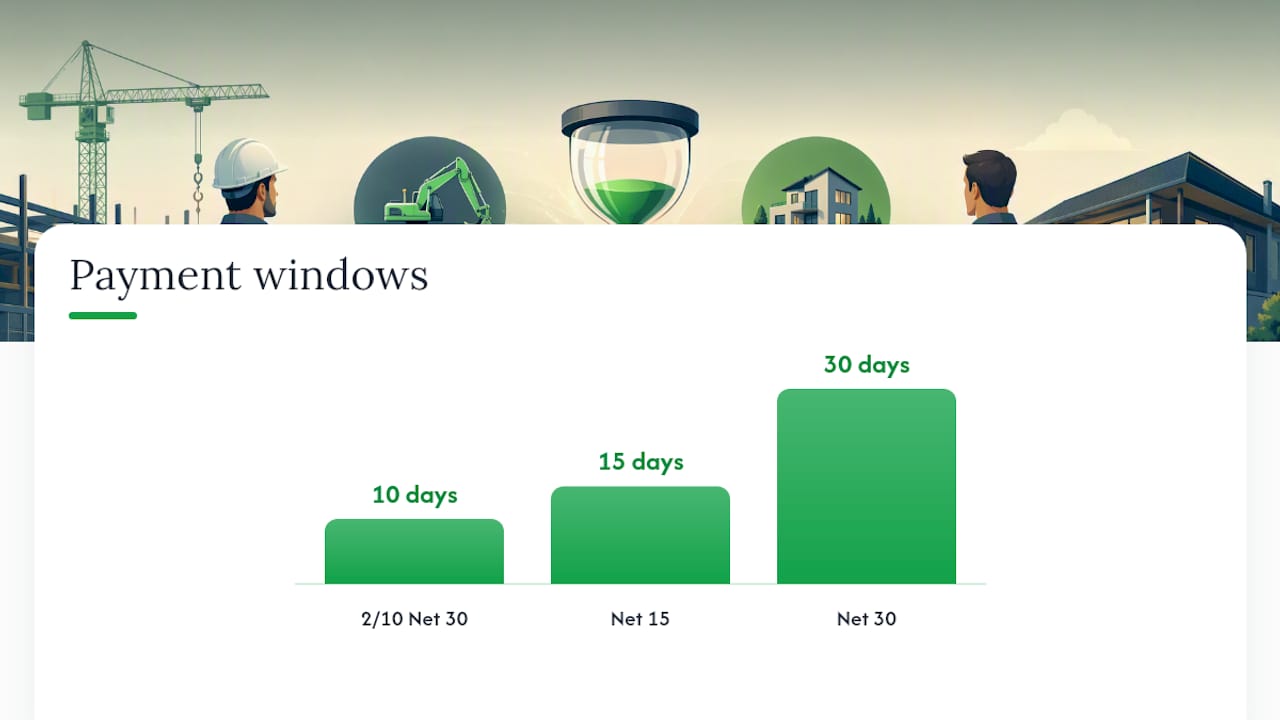
- Net 15: Due in 15 days. Good for small jobs or clients with a track record of fast payment.
- Net 30: Standard for most commercial work. Gives clients time but delays your cash flow.
- 2/10 Net 30: Client gets a 2% discount if they pay within 10 days. Useful for speeding up payment from clients who respond to incentives.
- Late fee clause: State a specific late fee (commonly 1.5% per month) on the invoice itself. Clients who see it in writing pay faster.
Pro Tip: Number your invoices sequentially and never reuse a number. Your accounting software or invoicing tool should handle this automatically. If you’re still numbering by hand, a gap or duplicate in your invoice sequence is a red flag during a tax audit.
Converting an accepted estimate into an invoice
This is where most contractors lose time. Retyping estimate data into a new invoice document introduces errors and delays payment. Many platforms let you convert an accepted estimate into an invoice automatically, preserving the audit trail and cutting manual work.
Conversion checklist:
- Confirm the estimate has been formally accepted (signature, email, or online acceptance).
- Note any change orders that need to be added or removed.
- Update the issue date and set the due date.
- Apply any deposit already collected as a line-item credit.
- Recalculate totals to reflect actual quantities if they changed.
- Assign the invoice number and link it to the estimate number in your records.
- Send the invoice with a short note referencing the original estimate.
Sample message to accompany the converted invoice:
Tracking tip: In your records, link every invoice back to its source estimate. If a dispute arises six months later, you want to pull up both documents in seconds, not spend an hour searching through folders.
Best practices to avoid disputes and speed payment
Most billing disputes are preventable. They trace back to the same handful of mistakes: vague scope, no written acceptance, no deposit, and invoices that don’t match what the client thought they agreed to.
Dispute-prevention checklist:
- Always use a written estimate, even for small jobs
- Require written acceptance before starting work
- Include an expiry date and assumptions on every estimate
- Collect a deposit before ordering materials or scheduling labor
- Document every change order in writing before doing the extra work
- Match invoice line items to accepted estimate line items
- State payment terms and late fees on the invoice
- Send invoices promptly after work is complete, not weeks later
Pro Tip: When a client questions a line item on your invoice, the fastest resolution is pulling up the accepted estimate and showing them the matching line. If your estimate was vague (“misc. materials — $400”), you have nothing to point to. Specific line items protect you.
Red flags that predict disputes:
- Scope described in one sentence with no exclusions
- No client signature or written acceptance on the estimate
- No deposit collected before work began
- Invoice total significantly higher than the estimate with no change order trail
- Payment terms not stated anywhere on the invoice
Sample wording and simple templates contractors can copy
You don’t need to design documents from scratch. The fields below cover what most trade jobs require.
Estimate template fields:
- Header: Your business name, logo, phone, email, license number
- Estimate #: [Auto-generated or sequential number]
- Date issued / Expiry date: [Date] / Valid for 30 days
- Client: [Name, address, contact]
- Scope of work: [Description of what IS included]
- Exclusions: [What is NOT included, e.g., permit fees, painting, disposal]
- Assumptions: [Site access available, existing structure sound, etc.]
- Acceptance: [Signature line or online acceptance link]
Invoice template fields:
- Header: Your business name, logo, phone, email
- Invoice #: [Sequential number]
- Issue date / Due date: [Date] / Net 30
- Bill to: [Client name and address]
- Reference: Estimate #[XXX] accepted [date]
- Payment terms: Net 30. Late fee: 1.5% per month after due date.
- Payment methods: [Bank transfer, check, credit card link]
Sample line items (contractor format):
For ready-made formats, the free invoice templates for trades from Quote-lock are built specifically for contractors and include the fields above.
Make quoting and invoicing faster with the right software
Doing this manually, copying estimate data into a new invoice document every time, is where errors creep in and time gets wasted. The right software handles the conversion automatically and keeps every document linked.
Features worth looking for in quoting and invoicing software:
- One-click quote-to-invoice conversion
- Professional branded templates
- Online quote acceptance with deposit collection
- Automatic payment reminders
- Quote view tracking (so you know when a client has opened your estimate)
- Sequential invoice numbering and record-keeping
- Tax calculation built in
Benefits for contractors who switch from manual processes:
- Less time retyping data between documents
- Fewer errors on invoices (amounts, dates, client details)
- Faster payment through online payment links
- A clear audit trail from estimate acceptance to final payment
Quote-lock’s invoicing software covers all of these, with a workflow built specifically for trades. You create a quote, the client accepts it online, and you convert it to an invoice in one click. No retyping, no version confusion.
Pro Tip: Before committing to any software, check whether it links estimates to invoices in a way you can search later. That linkage is what saves you when a client disputes a charge 90 days after the job.
The mistakes contractors keep making, and how to fix them
The same three problems show up repeatedly in contractor billing: no expiry date on the estimate, no deposit collected before work starts, and invoice line items that don’t match what the client thought they agreed to.
The fix for the first is mechanical. Set a default expiry in your template and never send an estimate without it. Fourteen to thirty days is enough time for a client to decide without leaving you exposed to price changes.
The deposit issue is trickier because contractors worry it will cost them the job. It rarely does. Framing it as “we order materials once the deposit is received” makes it a process, not a demand.
The line-item mismatch is the most expensive mistake. When your invoice says “bathroom renovation — $6,200” and the client remembers agreeing to specific tile, specific fixtures, and a specific timeline, you’re negotiating from memory. Detailed line items on both the estimate and the invoice are the only protection you have.
Quote-lock makes the estimate-to-invoice workflow simple
Contractors who switch from Word documents and spreadsheets to purpose-built software typically cut their quoting and invoicing time significantly. Quote-lock is built specifically for tradespeople who need to create quotes fast, get client acceptance online, collect deposits, and convert accepted quotes to invoices without retyping a single line.
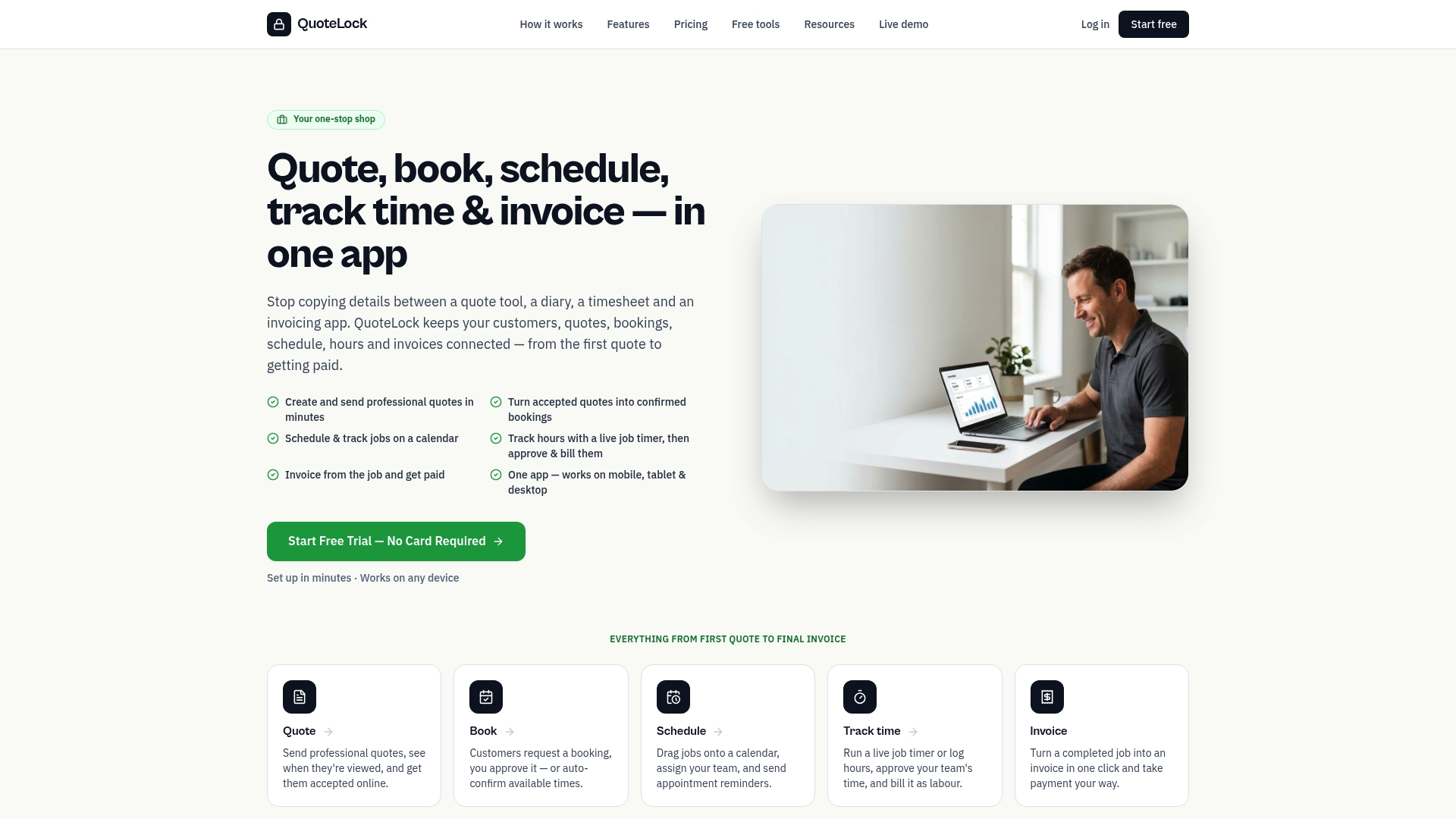
The 7-day free trial gives you enough time to send a real quote, get it accepted, and issue your first invoice through the platform. If it doesn’t save you time on the first job, you haven’t lost anything. Start your free trial of Quote-lock’s quoting software and see how fast the estimate-to-invoice workflow can actually be.
Sources
- Estimate vs. Invoice: How They Differ | Patriot Software
- Estimate vs Invoice: What is the Difference | BooksTime
- Estimate vs Invoice: How Do They Compare? | Invoiced
- How can you convert an estimate to an invoice? | Stripe
- Estimates, Invoices, and Sales Receipts: What’s the Difference? | Quicken