Client Briefs in Event Quotes: Faster, Accurate Bids

Client Briefs in Event Quotes: Faster, Accurate Bids
A clear client brief is the fastest way to convert unknown scope into an accurate, defensible event quote. Without one, you’re guessing, and guessing costs you money in the form of contingency padding, revision cycles, and scope disputes after the job starts.
The first action: send a one-page production sheet before you price anything. This single document forces the conversation that would otherwise happen after you’ve already submitted a number.
Three fields that change your quote most:
- Event format (theater seating, banquet rounds, standing reception) — determines labor hours, staging footprint, and rental quantities
- AV/tech setup baseline (house system available vs. full production required) — the single biggest driver of quote variance
- Approval timeline (who signs off and when) — controls how long you hold pricing before it expires
Pro Tip: Confirm the production sheet is complete before you open your pricing spreadsheet. A five-minute check here saves two rounds of revisions later.
Table of Contents
- Why does a client brief change price accuracy so much?
- What should you collect in an event brief?
- How do you turn a brief into a defensible quote?
- What are the biggest cost drivers in event work?
- What clarifying questions should you ask, and what are the red flags?
- How do you protect your quote with assumptions and change orders?
- How does quoting software speed up the brief-to-invoice cycle?
- Ready-to-use templates for briefs and quotes
- Key Takeaways
- A tradesperson’s honest take on briefs
- Quote-lock makes the brief-to-invoice cycle faster
- Sources and further reading
Why does a client brief change price accuracy so much?
Better briefs produce narrower price ranges, faster approvals, and fewer reworks. The mechanism is simple: every unknown in a brief becomes an assumption in your quote, and every assumption becomes a hedge.
The brief-quality gap is staggering at the industry level. According to IPA research, 80% of marketers believe they write good briefs, while only 10% of agencies agree. That mismatch explains why event quotes routinely come back with wildly different numbers from different vendors. Each vendor filled in the blanks differently.
The IPA finding: 80% of clients rate their own briefs as good, but only 10% of agencies agree. The gap between those two numbers is where mispricing lives.
When a brief is vague, vendors hedge. They add buffer for the AV they’re not sure is there, for the load-in window they weren’t told about, for the extra labor hour that might be needed. That hedging is rational, but it inflates your quote and makes comparison shopping nearly impossible.
The Event Management Institute frames the brief as the start of a conversation, not a one-way document. Inviting vendor questions during the briefing phase surfaces problems before they become change orders.

Pro Tip: Send the brief, then schedule a 15-minute call to walk through it. Questions that come up on that call belong in the brief before you ask for pricing.
What should you collect in an event brief?
Start with the fields that move price the most, then fill in the operational detail.
Summary fields (collect these first):
- Event date(s), start time, end time, and hard load-in/load-out windows
- Expected headcount (confirmed vs. estimated)
- Event format: theater, banquet, classroom, standing, or hybrid
- Critical fixed dates (board approval, venue deposit deadline)
Venue and site info:
- Full address, room name(s), floor, and loading dock access
- Power availability (amperage, panel location, distance from stage)
- Wi-Fi or wired data, and whether the venue has a house AV system or inventory
- Parking and freight elevator restrictions
Deliverables and scope:
- List every service required: AV, staging, lighting, labor, rigging, décor
- Specify what the client supplies vs. what you provide
- Note any exclusions explicitly (e.g., “client handles catering AV separately”)
Approval and decision path:
- Name of the decision-maker and backup contact
- Sign-off timeline and payment terms
- Deposit amount and due date
Budget signal: Ask for a range. If the client refuses, offer a pricing band (“We typically see this scope run $8,000–$14,000 depending on AV complexity — does that fit?”). A client brief template that includes a budget field prevents the most common cause of wasted proposals.
Quotes that include a clear price are more effective at converting, so getting the budget conversation done in the brief phase pays off directly.
How do you turn a brief into a defensible quote?
Use this sequence every time, and your quotes will be consistent and auditable.
| Brief field | Quote line item |
|---|---|
| Event format + headcount | Stage size, seating rental, labor hours |
| Venue power details | Power distro equipment + electrician labor |
| House AV inventory | Supplement vs. full-production AV package |
| Load-in window | Setup hours, overtime risk, crew count |
| Site access restrictions | Extra setup hours, freight handling |
| Subcontractor requirements | Named subs, markup, coordination time |
The workflow:
- Confirm the brief is complete (use the checklist above)
- Schedule a site visit if the venue is non-standard
- Line-itemize every deliverable from the brief
- Add labor, materials, and rentals separately
- Add contingency (see Section 5)
- Document all assumptions explicitly
- Deliver the quote with a clear expiration date
On site visits: for a standard hotel ballroom, a solid production sheet may be enough. For unusual venues, a site visit often moves the quote substantially depending on what you find. If the venue is unfamiliar, build the site visit into your process before you commit to a number.
Pro Tip: When a client accepts a quote, convert it directly to an invoice using the same line items. Rekeying data is where errors and disputes start.
What are the biggest cost drivers in event work?
Labor, specialized rentals, subcontractors, site logistics, and contingency account for the majority of quote variance. Here’s how to handle each:
- Labor: Price hourly for setup and strike; use a lump sum only when scope is fully defined. Always specify the number of crew and hours in the quote.
- AV and staging rentals: Get vendor quotes before finalizing your price. Missing production details can drive $15,000–$20,000 in variance on mid-size events.
- Subcontractors: Add a coordination markup (typically 10–15%) and name the sub in the quote so the client knows who’s on site.
- Travel and parking: Itemize these separately. A venue two hours away with no freight access changes your labor cost significantly.
- Insurance riders: Some venues require additional insured endorsements. Confirm this in the brief and price it in.
- Contingency: For unfamiliar event types, add an uncertainty buffer of 10–15% and call it out explicitly in your assumptions. For repeat event types where scope is locked, a fixed fee is reasonable.
A missing load-in window is a good example of how a single brief gap inflates a bid. If you don’t know when you can get in, you price for the worst case: overtime crew, rushed setup, possible equipment staging off-site. That’s not padding, that’s rational risk pricing. The brief removes the risk.
What clarifying questions should you ask, and what are the red flags?
The single most important question to ask immediately: “What is the event format, and when is the earliest load-in window?” Everything else flows from those two answers.
Scripted questions for tricky areas:
- “Does the venue have a house sound system, or are we providing full production?”
- “Who is the final sign-off on the quote, and what’s their approval timeline?”
- “What does success look like for this event? What are the acceptance criteria?”
- “Are there any other vendors working the same space on the same day?”
Red flags that should pause pricing:
- Vague budget (“whatever it costs”) — ask for a range before proceeding
- Missing decision-maker — get a name and contact before submitting
- Shifting event dates — note the current date in the quote and add an expiration clause
- Scope described as “full AV” with no spec — treat as full production until confirmed otherwise
- No load-in window provided — price for worst-case access and flag it as an assumption
“Treat the RFP as the start of a conversation. Vendors who ask good questions during the briefing phase consistently produce better outcomes — and those questions, once answered, should be documented and shared with all bidders.” — Event Management Institute
Pro Tip: Document every clarifying question and answer in writing. That Q&A thread can become an exhibit to the contract if scope disputes arise later.
How do you protect your quote with assumptions and change orders?
Always include three things in every quote: a short assumptions section, explicit exclusions, and a change-order clause. These aren’t legal boilerplate; they’re the operational record of what you priced.
Assumptions to record every time:
- Site access hours and load-in window used for labor pricing
- Number of breakout rooms or separate spaces included
- Client-supplied items (tables, chairs, power strips)
- Power availability and panel location assumed
- Whether house AV is available or full production is required
Exclusions in plain language: “This quote does not include catering AV, outdoor power runs, or any services not listed above. Changes to scope require a written change order.”
Sample change-order text you can paste in:
“Any change to the scope, timeline, or deliverables listed above requires a written change order signed by both parties before work begins. Change orders will be priced at the rates in this agreement.”
Versioning:
- Date-stamp every quote (e.g., “Quote v1 — June 3, 2026”)
- Number each revision sequentially
- Require written acceptance (email is fine) before proceeding on any change
This process, combined with clear client communication practices, keeps scope disputes from becoming billing disputes.
How does quoting software speed up the brief-to-invoice cycle?
A simple quoting tool reduces admin time, prevents data loss, and enforces assumption capture. The practical effect: you spend less time building quotes and more time on the job.
Core benefits for contractors:
- Templates: Pre-built line items for common event types mean you’re not starting from scratch every time
- One-click invoice conversion: Accepted quotes become invoices without rekeying
- Tracked quote views: You know when the client opened the quote, so follow-ups are timed, not random
- Automated reminders: No more chasing quotes manually
- Centralized job records: Brief, quote, and invoice live in one place
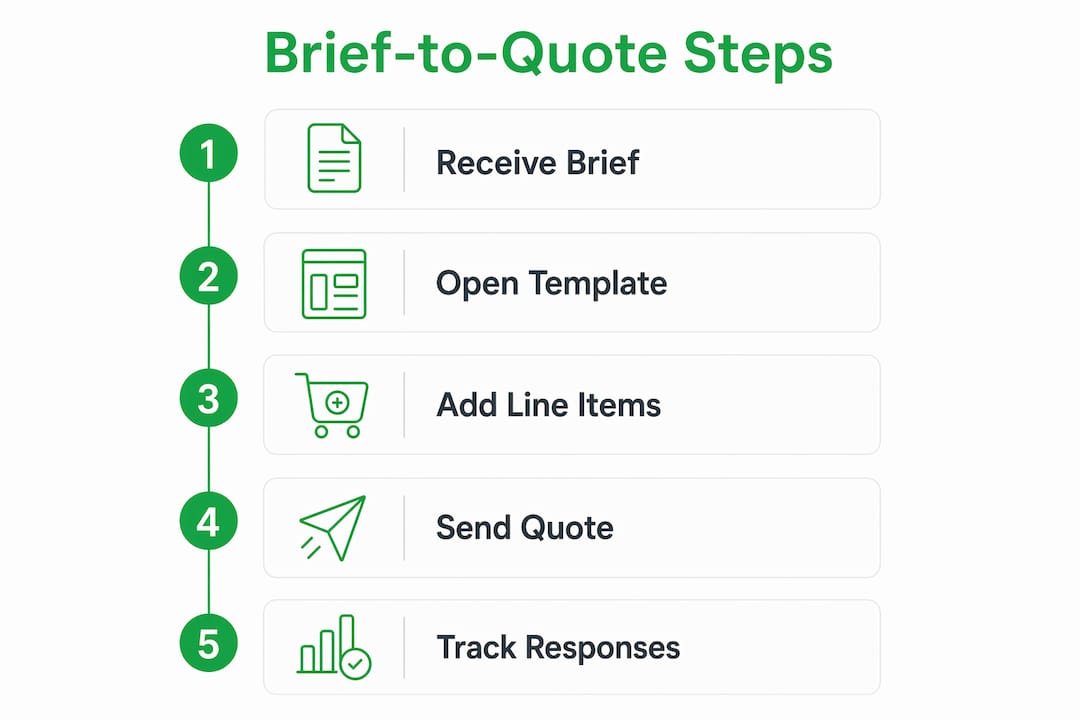
The workflow looks like this: brief received → open production-sheet template → populate line items → send quote → track when it’s viewed → convert to invoice on acceptance. That cycle, done manually, takes hours. With the right tool, it takes minutes.
Quote-lock’s quoting features are built around exactly this flow: templates, tracked views, reminders, and direct invoice conversion with no client login required.
Pro Tip: Store the completed client brief in the same job record as the quote. When a change order comes in six weeks later, you’ll have the original scope documented and ready.
Ready-to-use templates for briefs and quotes
One-page production sheet (send before pricing)
Itemized quote checklist
- Labor hours (setup, show, strike) with crew count
- AV equipment rental (itemized by piece)
- Staging and rigging (if applicable)
- Subcontractor names and scope
- Travel and parking
- Insurance rider (if required by venue)
- Contingency line (labeled as such)
- Assumptions section
- Exclusions section
- Quote expiration date
Copyable client questions to collect missing info fast:
- “Can you confirm the load-in window and whether freight elevator access is available?”
- “Does the venue provide any AV equipment, or are we bringing full production?”
- “Who needs to approve this quote, and what’s their timeline?”
- “What’s the budget range for this event?”
Store these templates in your job management tool so every new job starts with the same structure.
Key Takeaways
A clear client brief is the single most effective way to reduce quote variance, cut revision cycles, and protect your margins on event work.
| Point | Details |
|---|---|
| Brief quality drives price accuracy | Missing brief details force vendors to hedge, inflating quotes and making comparison impossible. |
| The 80/10 perception gap is real | IPA research shows 80% of clients rate their briefs as good; only 10% of agencies agree. |
| Add a 10–15% buffer for unfamiliar events | Label the uncertainty buffer explicitly in your assumptions so clients understand the reasoning. |
| Assumptions and change orders protect you | Document site access, power, and scope in writing; require signed change orders for any deviation. |
| Quote-lock speeds the full cycle | Quote-lock lets you send from a template, track views, and convert accepted quotes to invoices in one place. |
A tradesperson’s honest take on briefs
The conventional wisdom treats the client brief as a client’s job. That’s wrong. The brief is your job. You’re the one who needs the information to price accurately, so you’re the one who should be driving the conversation to get it.
Every contractor has priced a job from a vague brief and regretted it. The scope shifts, the load-in window turns out to be two hours shorter than assumed, the “house AV” is a single ceiling speaker from 2009. None of that is the client’s fault if you never asked. The brief is the mechanism for asking, and the production sheet is the mechanism for making sure the answers are on paper before you commit to a number.
The IPA’s finding about the brief-quality gap points to something most tradespeople already know from experience: clients don’t know what information you need. That’s not a character flaw; it’s just the nature of the buyer-vendor relationship. Your job is to make it easy for them to give you what you need. A one-page production sheet does that better than any amount of back-and-forth email.
One more thing: the brief isn’t just a pricing tool. It’s the document that protects you when a client says “that’s not what I asked for.” If it’s in the brief and it’s in the quote, you have a record. If it isn’t, you don’t.
Quote-lock makes the brief-to-invoice cycle faster
Contractors who use a structured brief process still lose time if they’re building quotes in spreadsheets and invoices in a separate tool. Quote-lock closes that gap: you get pre-built templates for common event and trade scopes, tracked quote views so you know exactly when to follow up, and one-click conversion from accepted quote to invoice with no rekeying.
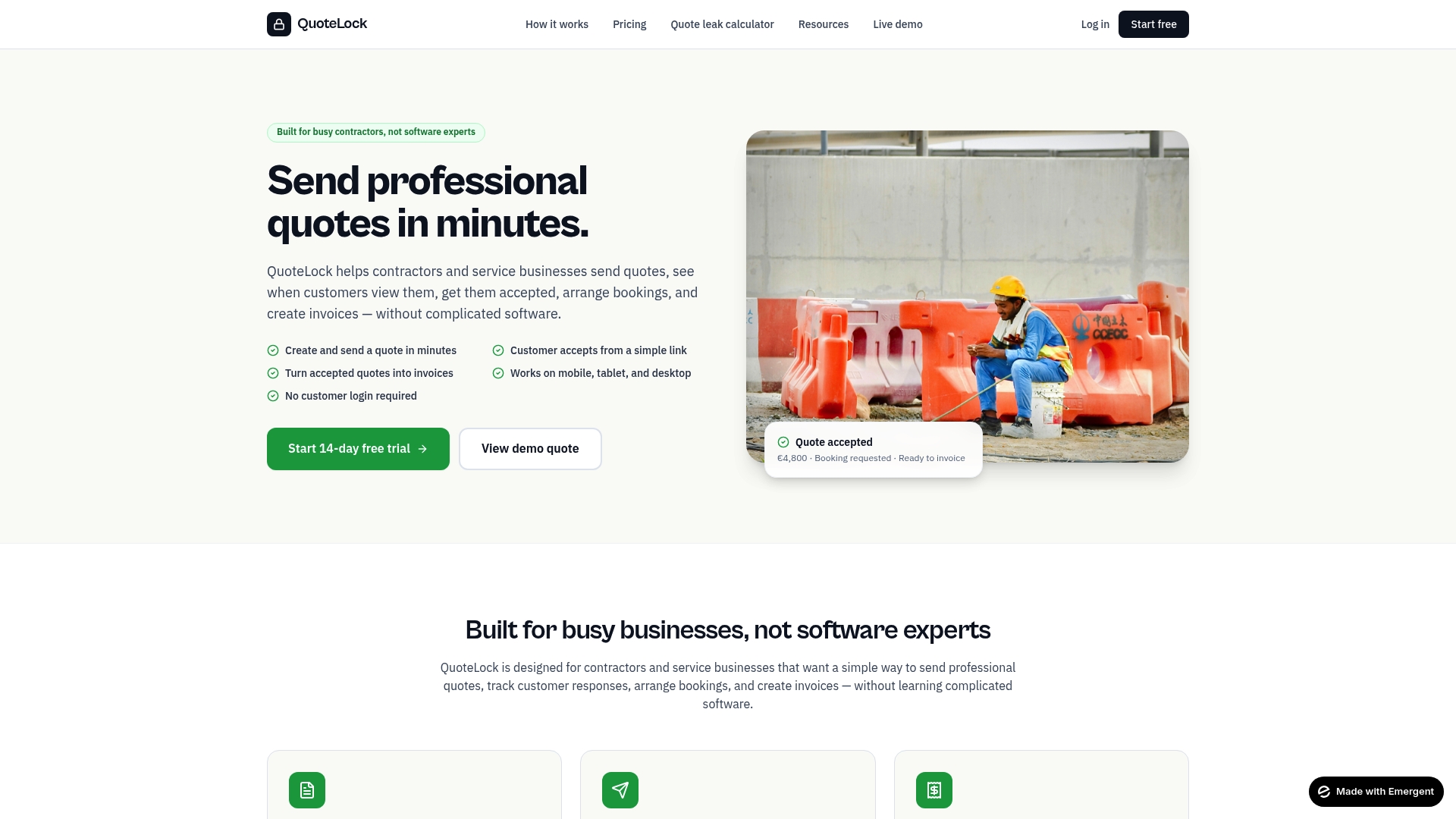
The practical payoff is real. Instead of spending 45 minutes rebuilding a quote from scratch for every new event inquiry, you open a template, populate the line items from your brief, and send. When the client accepts, the invoice is one click away. Quote-lock’s quoting software for contractors is built for tradespeople who need speed and accuracy without the overhead of complex platforms. No client login required, no training curve.
If you’re ready to cut the admin time on your next event quote, try Quote-lock and see how fast the brief-to-invoice cycle can actually be.
Sources and further reading
- IPA — The Best Way for a Client to Brief an Agency: The source for the 80% vs. 10% brief-quality gap. Essential reading for understanding why vague briefs produce mispriced proposals.
- Event Management Institute — Crafting an Effective Event Brief: Practical guidance on treating the brief as a two-way conversation and structuring vendor Q&A.
- corporateevents.at — How to Brief an AV Vendor: The production-sheet format that reduces AV quote variance; includes data on how site visits move quotes by 20–40%.
- rock.so — Client Brief Template: 9 Sections You Can Copy: A practical internal brief template with sections you can adapt for event contractor workflows.
- VendorPad — How to Quote Unfamiliar Events: The source for the 10–15% uncertainty buffer recommendation and how to present it to clients.
- AddToEvent — Quoting Best Practices: Data on quote effectiveness, including the finding that quotes with a clear price are 24% more effective at converting.