Quote Approval Tracking Workflow: A Service Pro's Guide

Quote Approval Tracking Workflow: A Service Pro’s Guide
A quote approval tracking workflow is the structured process that governs how sales quotes are reviewed, authorized, and tracked before delivery to a client. For service professionals, from builders to electricians, this process is the difference between a profitable job and a margin-destroying mistake. A well-designed workflow enforces pricing rules, keeps projects on schedule, and gives every stakeholder a clear view of where a quote stands. Common approval triggers include discounts over 20% or deals exceeding $50,000, thresholds that signal when a human review is genuinely needed rather than just routine.
What are the core components of a quote approval tracking workflow?
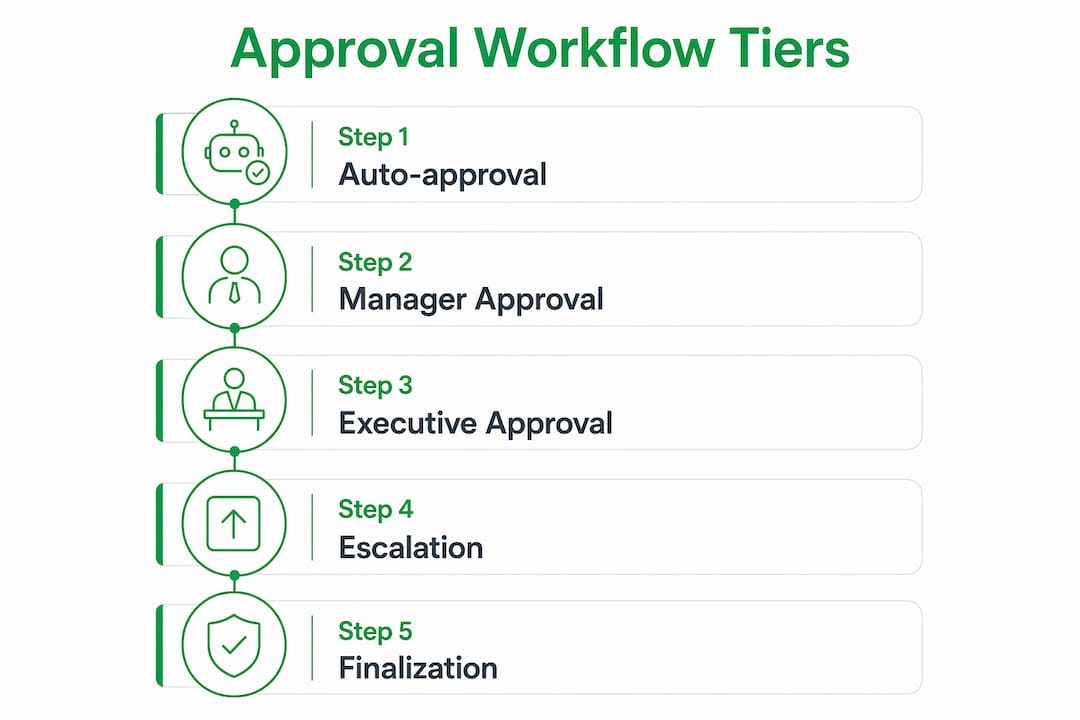
A quote approval tracking workflow operates in tiers. Each tier represents a level of authority, triggered by the size or risk of the deal. Understanding these tiers is the foundation of any effective approval process.
Tier 1: Auto-approval. Low-risk quotes that fall within preset margins and discount limits move forward without human review. This keeps the pipeline moving for the majority of standard jobs.
Tier 2: Manager approval. Quotes that exceed a discount threshold or fall below a margin floor route to a direct manager. Tier 2 approvals complete within 4 business hours as a best practice. That timeline keeps deals alive without creating a bottleneck.

Tier 3: Executive approval. High-value or high-risk deals escalate to senior leadership. The standard target is resolution within 24 hours, with automated escalation rules triggering after 24–48 hours if no action is taken.
| Tier | Trigger criteria | Target timeline |
|---|---|---|
| Auto-approval | Within margin and discount limits | Immediate |
| Manager approval | Discount over threshold or margin below floor | Within 4 business hours |
| Executive approval | High deal value or strategic exception | Within 24 hours |
| Escalation | No response after 24–48 hours | Rerouted to backup approver |
The routing logic between tiers should reflect risk, not just deal size. A quote with a 25% discount on a low-margin service is riskier than a large-value quote at full price. Building conditional logic around margin percentage, not just dollar amount, produces a more accurate filter.
Pro Tip: Map your three most common quote types before you configure any tiers. Knowing which deals are routine versus risky tells you exactly where to set your thresholds.
How to implement an efficient quote approval process step by step
A clear implementation sequence prevents the most common configuration mistakes. Follow these steps to build a workflow that moves fast and stays controlled.
-
Define auto-approval criteria. List every condition a quote must meet to skip manual review. Include margin floor, maximum discount percentage, and deal value ceiling. Document exceptions explicitly so approvers know when to override.
-
Set escalation and backup approver rules. Escalation rules should specify timing, backup approvers, and what happens when escalations go unanswered. A Tier 2 approval with no backup rule becomes a stalled deal the moment the primary approver is unavailable.
-
Configure notifications. Every approver needs an immediate alert when a quote lands in their queue. Email alone is too slow. Push notifications on mobile devices let approvers act without opening a laptop.
-
Enable mobile approvals. Mobile optimization with push notifications allowing one-click approve or reject actions significantly speeds up approval times. For tradespeople and field managers, this is not optional. It is the primary approval channel.
-
Set a materiality threshold for revisions. A 5% materiality threshold for quote revisions prevents unnecessary re-approvals when minor scope changes occur. Changes below that threshold keep the original approval intact, cutting administrative overhead sharply.
-
Test with real quote scenarios. Run your three most common quote types through the workflow before going live. Confirm that routing, notifications, and escalations all fire correctly.
| Step | Action | Common mistake to avoid |
|---|---|---|
| Define auto-approval | Set margin, discount, and value limits | Setting thresholds too low, triggering excess reviews |
| Escalation rules | Assign backup approvers with timing | No backup means a single absence stalls the pipeline |
| Notifications | Push alerts to mobile | Relying on email alone slows response times |
| Materiality threshold | Set 5% revision limit | Re-approving every minor change creates approval fatigue |
Pro Tip: Start your auto-approval thresholds slightly higher than you think is safe. Collect three to six months of real approval data, then tighten the thresholds based on what you actually see.
What tools and tracking methods support ongoing workflow management?
Tracking is what separates a workflow that improves over time from one that quietly degrades. The right metrics tell you where deals slow down, which approvers are bottlenecks, and whether your thresholds are calibrated correctly.
The metrics that matter most are approval cycle time by tier, escalation rate, rejection rate by reason, and the percentage of quotes requiring re-approval after revision. Each metric points to a specific problem. A high escalation rate at Tier 2 suggests your auto-approval threshold is set too low. A high rejection rate for a specific reason suggests a pricing or scoping problem upstream.
Task-based workflow architectures with automated, append-only event logs create the audit trails that compliance and dispute resolution require. This approach replaces error-prone email chains with a transparent, time-stamped record of every action. When a client disputes a price or a project scope, the audit log is the definitive record.
Essential tracking features for any approval workflow include:
- Real-time status visibility for every quote in the pipeline
- Time-stamped event logs recording every approval, rejection, and escalation
- Rejection reason capture at the point of decision
- Escalation tracking showing which requests were rerouted and when
- Threshold performance reports showing how often each tier triggers
Pro Tip: Review your escalation rate monthly for the first six months. If more than 15% of quotes escalate past Tier 2, your Tier 1 thresholds need adjustment.
What are common challenges in quote approval workflows and how to fix them?
The most damaging workflow problems are not technical. They are design errors that compound over time. Knowing them in advance saves weeks of troubleshooting.
Without escalation logic, a single unavailable approver can freeze an entire sales pipeline. This is the most common and most preventable failure. Every approval tier needs at least one named backup approver and a defined time limit before automatic rerouting occurs.
Common mistakes and their fixes:
- Thresholds set too low. Every quote triggers a manual review, approvers burn out, and response times collapse. Fix: raise auto-approval limits and track the results.
- No mobile approval option. Field managers cannot act quickly from a desktop. Fix: require push notifications and one-click mobile actions as a baseline feature.
- Single approver per tier. One person on vacation stalls every deal at that level. Fix: assign at least two approvers per tier with clear escalation timing.
- No rejection reason capture. Approvers reject quotes with no explanation, leaving sales teams guessing. Fix: make rejection reason a required field before the decision is recorded.
- Over-complex routing logic. Too many conditions create unpredictable routing and frustrated approvers. Fix: focus on risk-based routing with simple conditional logic, reserving manual review for genuine exceptions.
The pattern behind most of these problems is the same. Workflow designers try to account for every possible scenario at launch. The result is a system so complex that nobody uses it correctly. Start simple, measure what breaks, and add rules only when data justifies them.
How do quote approval workflows improve client communication and project outcomes?
A well-run approval process does more than protect margins. It directly improves how clients experience your business and how your team executes projects.
Timely approvals prevent project delays. When a quote sits in an approval queue for three days, the client waits, the project start date slips, and your team’s schedule shifts. A workflow with clear SLAs at each tier turns approval time from a variable into a predictable part of your project timeline. Clients notice when you respond fast. They remember it.
Status tracking and automated notifications give clients and internal teams a shared view of where a quote stands. Sales does not have to chase finance. Operations does not have to guess whether a job is approved. Everyone works from the same current information.
Audit trails do more than satisfy compliance requirements. When a client questions a price six months after project completion, a time-stamped approval record shows exactly who authorized what and when. That record protects your business and resolves disputes without conflict.
Cross-team collaboration improves when approval workflows are visible. Sales, finance, and operations each see the same status. Handoffs between teams happen at the right moment, not after someone sends a follow-up email asking if the quote was approved yet. The quote-to-invoice workflow becomes a single connected process rather than a series of disconnected steps.
Key Takeaways
A structured, tiered quote approval tracking workflow is the most reliable way to protect margins, speed up client responses, and maintain a clear audit record across every deal.
| Point | Details |
|---|---|
| Use tiered approvals | Match approval authority to deal risk, not just deal size, for faster and more accurate routing. |
| Set escalation rules | Assign backup approvers and timing at every tier to prevent a single absence from stalling deals. |
| Apply a materiality threshold | A 5% revision limit stops minor scope changes from triggering unnecessary re-approvals. |
| Track the right metrics | Monitor escalation rate, cycle time, and rejection reasons monthly to tune thresholds over time. |
| Enable mobile approvals | Push notifications with one-click actions are the fastest approval channel for field-based teams. |
What I have learned designing approval workflows for service businesses
The conventional advice on quote approval workflows focuses almost entirely on control. Add more tiers, tighten thresholds, require more sign-offs. That advice is wrong for most service businesses, and I have seen it kill deals that should have closed in hours.
The workflows that actually perform well share one trait: they are designed for speed first, with control applied only where risk justifies it. A landscaping company quoting a $3,000 job does not need a three-tier approval chain. A renovation contractor quoting a $200,000 commercial fit-out does. The mistake is applying enterprise-level complexity to every deal regardless of size.
Escalation logic is the one area where I have never seen a business over-invest. Every workflow I have reviewed that had chronic delays traced back to the same problem: one approver, no backup, no timer. The fix takes 20 minutes to configure and prevents weeks of stalled pipelines.
The other thing practitioners rarely discuss is threshold tuning. Most teams set thresholds at launch and never revisit them. The right approach is to start with higher thresholds and refine them after three to six months of real data. Your first configuration is a hypothesis. Your data tells you whether it was right.
Clear communication about approval policies matters as much as the workflow itself. When your sales team does not understand why a quote was rejected, they cannot fix the problem. Rejection reason capture is not a nice-to-have. It is the feedback loop that makes the whole system improve.
— Robert
Quote-lock makes quote approval tracking simple for service pros
Service professionals who manage quotes manually lose time and money on every job. Quote-lock is built for contractors, builders, landscapers, and tradespeople who need a faster way to handle the full quote-to-payment process without complex software.
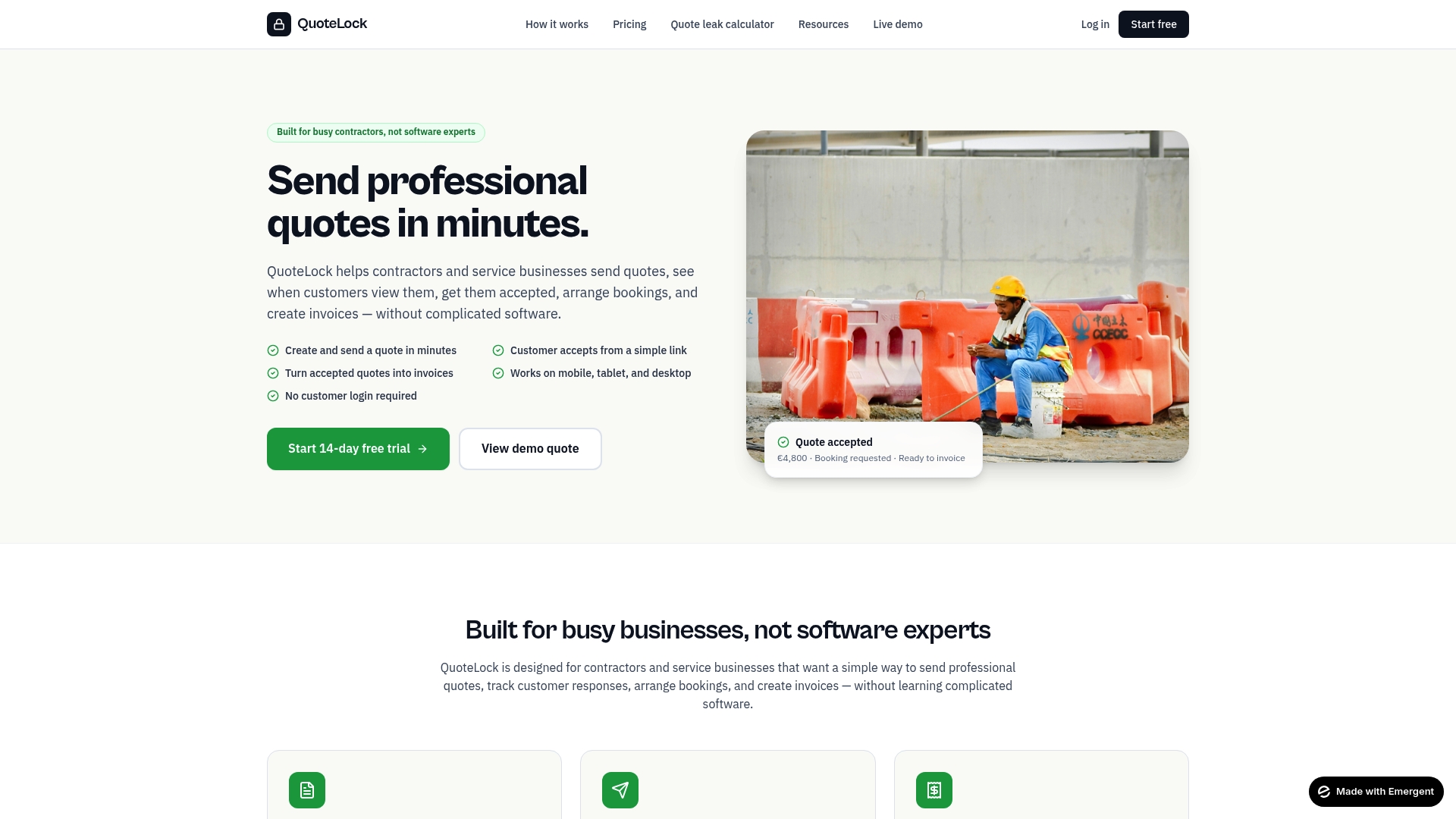
Quote-lock tracks quote views, sends automated follow-up reminders, and converts accepted quotes directly into invoices. For builders and renovation contractors, that means fewer missed approvals and less time chasing clients for sign-off. The quoting software for contractors gives you a clear dashboard showing every quote’s status, so nothing falls through the cracks. No client logins required, no training overhead, and no paperwork piling up on your desk.
FAQ
What is a quote approval tracking workflow?
A quote approval tracking workflow is the structured process that routes sales quotes through defined review and authorization steps before delivery to a client. It enforces pricing rules, captures decisions in an audit log, and ensures every quote meets margin and compliance requirements.
What triggers a quote approval review?
Common triggers include discounts over 20% or deal values exceeding $50,000. Margin floors and strategic exceptions also trigger manual review depending on the workflow configuration.
How long should a quote approval take?
Tier 2 approvals should complete within 4 business hours and Tier 3 within 24 hours. Automated escalation after 24–48 hours reroutes stalled requests to backup approvers to keep deals moving.
Why do B2B quotes need approval workflows?
B2B quotes often involve large deal values, custom pricing, and margin-sensitive terms that require oversight before commitment. An approval workflow protects profitability and creates an auditable record that supports compliance and dispute resolution.
What is a materiality threshold in quote approvals?
A materiality threshold defines how much a quote can change before requiring a new approval. A 5% revision threshold is the standard best practice, keeping minor scope changes from restarting the entire approval process.