Scheduling & Jobs Calendar
Once a quote is accepted and booked, plan and track the actual work on one simple calendar.
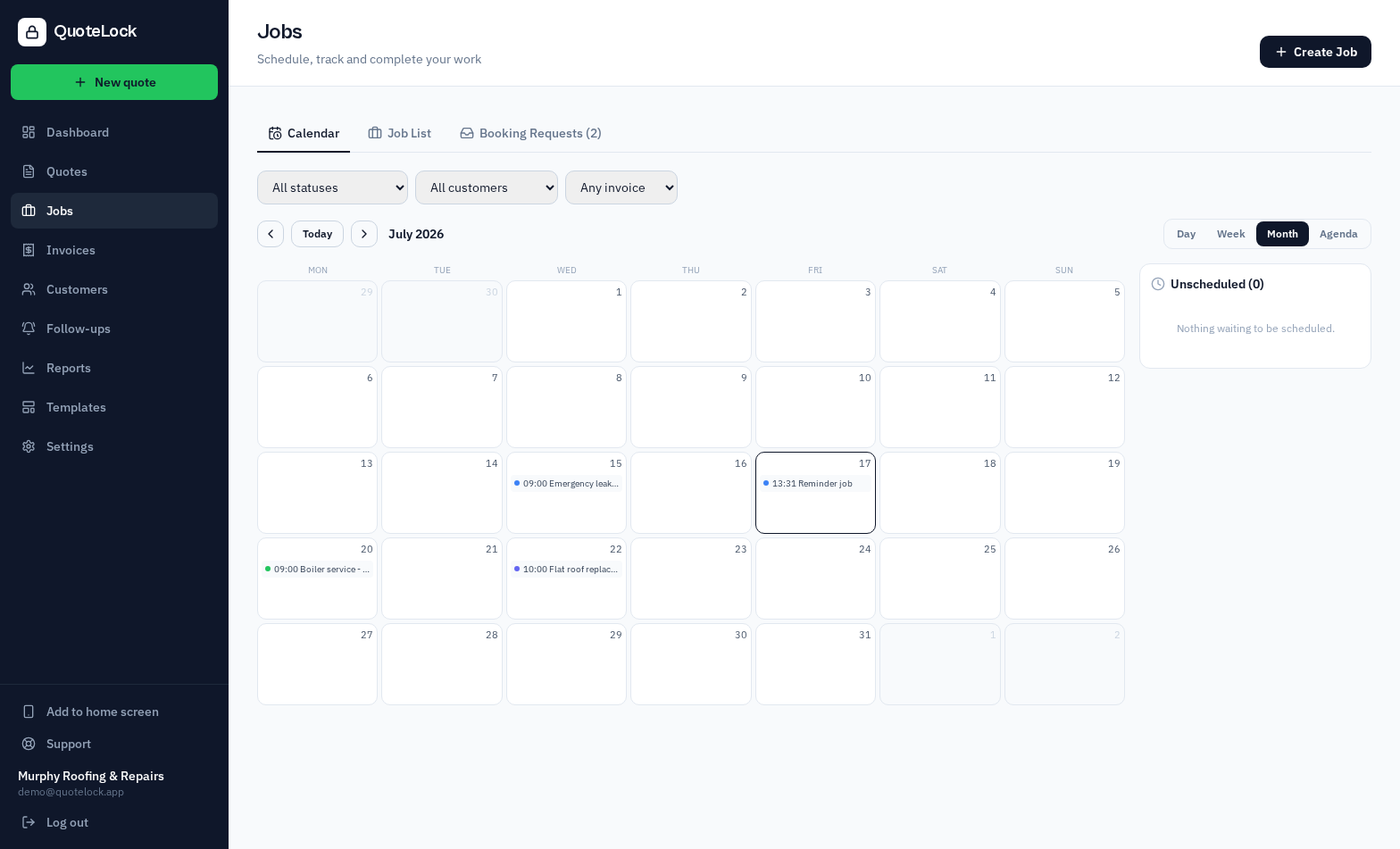
Create a job from a quote
Turn an accepted quote into a job in one click — the customer and job details carry across automatically.
One calendar, four views
See your work in day, week, month or agenda view, and drag-and-drop jobs to reschedule them instantly.
Assign your team
Assign each job to a team member so everyone knows what they're doing and when (team plans).
Appointment reminders
Configurable email reminders go to you and the customer before the job, cutting no-shows.
Track jobs to completion
Move each job from booked to in-progress to complete, then turn it into an invoice in one click.
Helpful tips
- Drag a job to a new slot to reschedule — no retyping
- Set your availability so bookings only land when you're free
- Mark a job complete to invoice it straight away
Scheduling connects your bookings and invoices: accepted quote → confirmed booking → scheduled job → invoice.
Ready to get going?
Related guides
We use essential cookies to run QuoteLock and privacy-friendly analytics to improve it. See our Privacy Policy.