How Invoices Work in QuoteLock
Invoicing built for trades — raise an invoice from a quote, a job, or from scratch, send it your way, and track what's been paid.
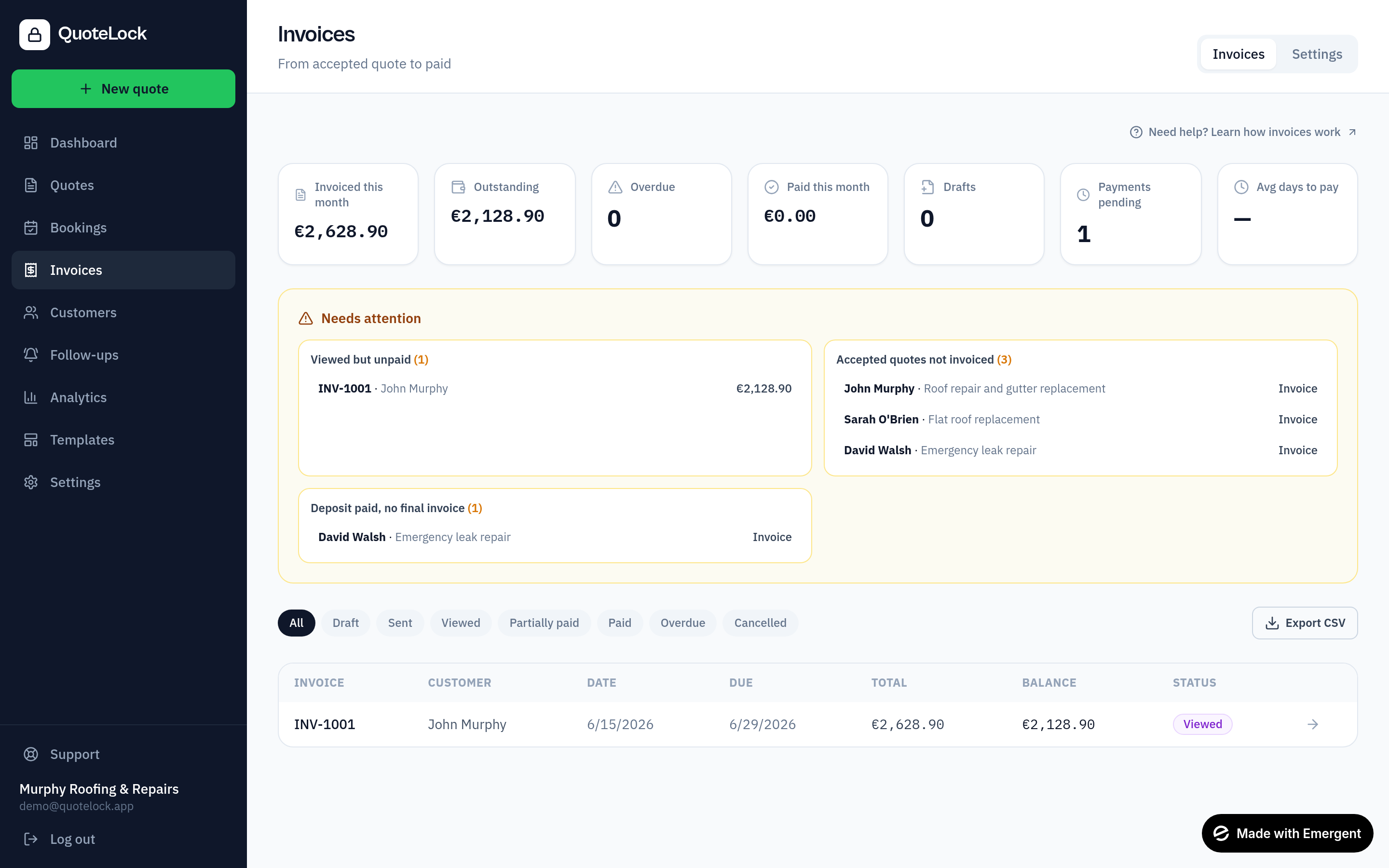
Create from an accepted quote or job
Turn an accepted quote or a completed job into an invoice in one click, keeping the same line items and tax — no retyping.
Create a standalone invoice
Need to bill for ad-hoc work? Go to Invoices → New invoice and add a simple description, amount and tax. No quote required.
Add your details and payment instructions
Adjust line items, add bank details and an external payment link (Stripe, Revolut, SumUp, bank transfer) so customers can pay their way.
Attach supporting files
Attach photos, PDFs, certificates or other documents (up to 15MB each) so everything the customer needs is in one place.
Send it your way
Send the invoice by email as a secure link, a PDF attachment, or both — and add CC/BCC recipients (your accountant, a second contact). You can edit the recipient, subject and message before it goes.
Record payments
Log manual payments and mark an invoice as paid, or record a part-payment to track the remaining balance.
Edit, void or delete
Edit sent invoices when something changes (paid invoices are locked — void to correct), void an invoice to cancel it while keeping the record, or delete a draft you no longer need.
Statuses you'll see
Helpful tips
- Attach before/after photos to speed up payment
- Use CC/BCC to keep your accountant in the loop
- Send both a link and a PDF so customers can pay online or file the PDF
Ready to get going?
Related guides
We use essential cookies to run QuoteLock and privacy-friendly analytics to improve it. See our Privacy Policy.